Skip to main content Skip to footer

Pennsylvania Skill Games Face Enforcement Uncertainty Ahead of October 13 Deadline

Pennsylvania’s unresolved skill game dispute is putting operators and businesses on notice, with potential machine seizures adding pressure to lawmakers ahead of the October 13 deadline.

Paula | September 14, 2026
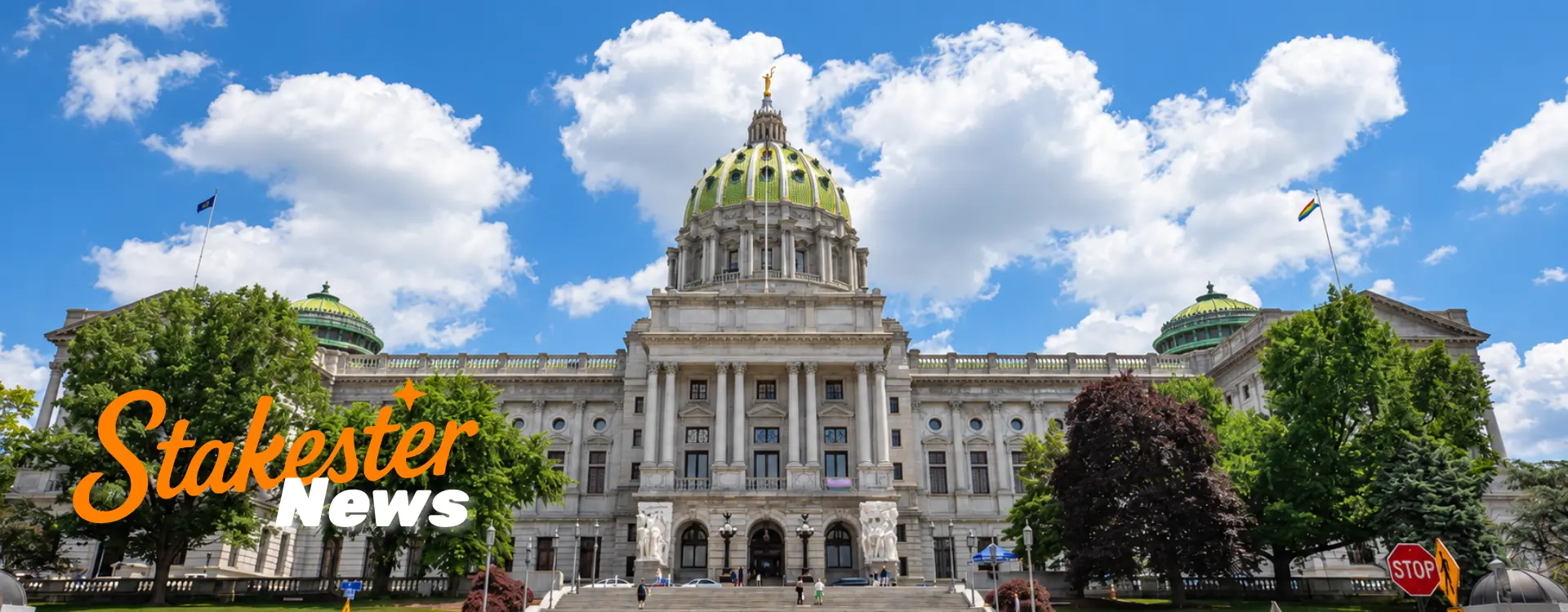
Pennsylvania Skill Games Face Enforcement Uncertainty

Key Takeaways

  • Pennsylvania State Police have warned that skill game machines and related earnings could face seizure if lawmakers fail to enact legislation by October 13.
  • The warning follows a court ruling that treats the machines as slot-machine equivalents unless new gaming reforms change their legal status.
  • With competing tax and regulatory proposals still on the table, operators and businesses hosting the machines face uncertainty over whether they can continue operating.
  • The October 13 deadline is the next major test of Pennsylvania’s approach to skill gaming, but a legislative solution is not guaranteed.

What Happened?

Pennsylvania State Police warned businesses that skill game machines could face seizure if lawmakers fail to pass a regulatory bill by October 13. Enforcement could begin on October 14, potentially affecting machines and revenue generated through them.

The warning applies to businesses hosting skill games, including convenience stores, taverns, gas stations, restaurants, and other establishments.

State Police have reportedly advised businesses to discuss machine removal with distributors and vendors. Simply switching off or unplugging the machines would not resolve the legal concerns.

The warning follows a court decision treating the machines as slot-machine equivalents under Pennsylvania law unless lawmakers introduce new reforms.

With the deadline approaching, operators and businesses face uncertainty over whether they can continue offering skill games under the existing legal framework.

Why this Matters to Operators 

Pennsylvania’s skill game dispute could put operators, distributors, and businesses hosting the machines under significant financial pressure.

Potential seizures threaten not only equipment but also the revenue these businesses rely on. Operators may need to reconsider machine placements, inventory, and future investments while the legal framework remains uncertain.

For players, machine removals could reduce access to skill games across the state.

The wider concern is regulatory certainty. Pennsylvania’s response could influence how other states approach skill games, particularly around licensing, taxation, and enforcement.

Regulatory Background

Pennsylvania’s skill games have operated outside the state’s traditional casino gaming framework, creating an ongoing dispute over how state law should classify the machines.

The central question is whether they qualify as skill-based games or fall under the Pennsylvania Crimes Code as gambling devices. The Pennsylvania Supreme Court has ruled that skill games are illegal under state law, making their legal classification a key issue for operators. That distinction determines whether operators can legally continue offering them and what regulatory requirements may apply.

A court decision treating the machines as slot-machine equivalents has increased pressure on lawmakers to establish a clear legal framework. The October 13 deadline is therefore a key point in the dispute, with potential seizures putting operators and businesses at risk if no legislation is passed.

Lawmakers are considering different approaches to taxation and regulation, including a proposed 52% tax, a $500 monthly fee per machine, and a 16% tax. These proposals reflect wider disagreements over how skill games should be regulated and what role they should play in Pennsylvania’s gaming market.

Philadelphia has taken a separate approach, banning skill games in 2023. The local restrictions add another layer to the regulatory debate, particularly around machine access and how state-level reforms may interact with local rules.

Industry Impact

Pennsylvania’s skill game dispute could directly affect operators, distributors, and businesses that rely on machine revenue. The potential for seizures adds pressure to a market already facing uncertainty over its legal status.

The proposed tax structures could further change the economics of skill gaming. Different tax rates and machine fees may affect profitability, operating costs, and whether businesses continue hosting the games.

If lawmakers miss the October 13 deadline, operators could face machine removals, disrupted revenue, and difficult decisions about inventory and business expansion. Host businesses may also reconsider whether the potential returns justify the legal risks.

The uncertainty extends beyond Pennsylvania. The outcome could influence how other states approach skill games and similar alternative gaming models. Clearer rules around licensing, taxation, and compliance may become increasingly important as regulators respond to the growth of these products.

What Happens Next?

Pennsylvania lawmakers face an October 13 deadline to pass a regulatory bill and avoid potential skill game seizures starting October 14.

Businesses and distributors may remove machines ahead of the deadline, while competing tax and regulatory proposals remain under consideration.

If lawmakers fail to reach an agreement, enforcement could follow. Further legal challenges may also arise as operators respond to the changing regulatory landscape.

Stakester Analysis

Stakester Analysis

Pennsylvania’s skill game dispute highlights the risks of operating in an uncertain regulatory environment. The October 13 deadline puts pressure on lawmakers to establish clear rules or leave operators facing potential seizures and further legal uncertainty.

The outcome could have a direct impact on businesses that rely on skill game revenue, while also shaping how operators approach compliance, investment, and market expansion.

For the wider alternative gaming industry, Pennsylvania’s response may offer a useful indication of how regulators balance commercial activity with legal oversight. Stakester’s Sweepstakes Casino Directory provides a useful resource for exploring alternative gaming platforms and the regulatory considerations shaping the sector.

The key question is whether lawmakers can deliver a framework that provides clarity for operators without leaving the market exposed to further enforcement disputes.

Reference

Upcoming Skill Games Decision

About the author

Paula

Paula is a dedicated iGaming content creator with a passion for sweepstakes casinos and online slots. Formerly crafting engaging guides on social casino promotions and U.S. gambling regulations, she now delivers the latest news and insights for Stakester. Follow her breakdowns of player incentives, crash game trends, and industry updates to level up your gaming knowledge.

Stakester Newsletter

Be the first to find out when a sweepstakes casino launches and receive exclusive offers directly in your mailbox.

Loading
There was an issue loading your website design settings.
There was an issue loading Google fonts.
You have been logged out of the Umbraco CMS, please login again to make your changes.
An error occured. Unable to save your design settings.
Unable to save design panel changes due to invalid uSkinned License.
Preview and select the header layout you would like to use on large screens.
{{styles.themeLayout.showHeaderScrollLarge ? 'Yes' : 'No'}}
{{styles.themeLayout.transparentLargeHeader ? 'Yes' : 'No'}}
Preview and select the header layout you would like to use on small screens.
{{styles.themeLayout.showHeaderScrollSmall ? 'Yes' : 'No'}}
{{styles.themeLayout.transparentSmallHeader ? 'Yes' : 'No'}}
Style modal window links in the main navigation as a mega menu. {{styles.themeLayout.mainNavModalMegaStyle ? 'Yes' : 'No'}}
Choose the number of lines that should appear for your burger navigation icon.
These are used globally, from your navigation dropdowns to your back to top button. Choose the global style to be used.
Choose the global direction you would like your breadcrumb icons to face.
Choose the global options for your heading and secondary heading separators.
Choose the global zoom effect for images on hover. {{styles.themeLayout.imageZoomEffect ? 'Yes' : 'No'}}
All images are lazy loaded to improve page speeds. A low-resolution placeholder image will be displayed first before your full image loads. Choose the Global style to be used.
{{styles.themeLayout.imageBlur ? 'Yes' : 'No'}} Smoothly transition from a blurred placeholder image to provide visual feedback.
Choose the global style of your logo link.
{{styles.themeLayout.logoLinkUnderlineInitial ? 'Yes' : 'No'}}
{{styles.themeLayout.logoLinkUnderlineHover ? 'Yes' : 'No'}}
Choose the global style of your main navigation links.
{{styles.themeLayout.mainNavLinkUnderlineInitial ? 'Yes' : 'No'}}
{{styles.themeLayout.mainNavLinkUnderlineHover ? 'Yes' : 'No'}}
Choose the global style of your secondary navigation links.
{{styles.themeLayout.secondaryNavLinkUnderlineInitial ? 'Yes' : 'No'}}
{{styles.themeLayout.secondaryNavLinkUnderlineHover ? 'Yes' : 'No'}}
Choose the global style of your content links.
{{styles.themeLayout.contentLinkUnderlineInitial ? 'Yes' : 'No'}}
{{styles.themeLayout.contentLinkUnderlineHover ? 'Yes' : 'No'}}
Choose the global style of your footer links.
{{styles.themeLayout.footerLinkUnderlineInitial ? 'Yes' : 'No'}}
{{styles.themeLayout.footerLinkUnderlineHover ? 'Yes' : 'No'}}
Choose the global style of your button links.
{{styles.themeLayout.buttonLinkUnderlineInitial ? 'Yes' : 'No'}}
{{styles.themeLayout.buttonLinkUnderlineHover ? 'Yes' : 'No'}}
Choose to display and set the horizontal position of your 'Back to top' link.
{{styles.themeLayout.displayBackToTopOption ? 'Yes' : 'No'}}
Set the horizontal position of your 'Notification' pop-out.
Create a color palette to be used in your design. Your choices will appear within the color picker for easy selection.
Build up the baseline color palette of your theme..
Build up the full color palette of your theme by choosing any number of background, headings, text and link color combinations. Add as many combinations as you wish.
Build up a full range of button color combinations to be used for call to actions throughout your website. Add as many combinations as you wish.
Build up a full range of label color combinations to be used to highlight text. Add as many combinations as you wish.
Set the width of your site container.
{{styles.themeSpacing.fixedWidth == true ? 'Yes' : 'No'}}
Please note: When a 'Maximum width' is set, you will only be able to preview it when the design editor drawer is closed.
Set the padding applied from the viewport edge.
Set the box shadows used for your site container. This will only be visible when you have set a maximum site width on your site container.
Set the padding from the viewport edges.
Set the size and padding from the viewport edges of your 'Back to top' button.
On small screens your back to top button will be full width.
On large screens your back to top button width and height will be the same.
Set the width of your header container.
{{styles.themeSpacing.headerFixedWidth == true ? 'Yes' : 'No'}}
Set the height of your header on various screen sizes.
Height on small screens.
Height on large screens.
Set the width of the dropdowns in your main navigation.
This layout is used once there are {{styles.themeSpacing.mainNavMultiColumnItems + 1}} child items in the dropdown
Set the box shadow of your site header.
Set the padding around the site logo in the header. Set the padding around the site logo when the small header height is used.
Set the padding around the site logo when the large header height is used.
Set the maximum width of your content.
Set the padding used on individual items.
Padding of small items
Padding of large items
Set the width and radius of borders.
Set the box shadow settings.
Set the width of your footer container.
{{styles.themeSpacing.footerFixedWidth == true ? 'Yes' : 'No'}}
Set the spacing at the bottom of a component when the 'Full' page layout option is not selected.
Set the spacing at the top and bottom of a component when the 'Full' page layout option is selected.
Set the width of the 'Intro' column on components when the 'Full' page layout option is selected.
Set the width of the 'Outro' column on components when the 'Full' page layout option is selected.
Set the width of the content of a component when you have chosen the option 'Center' and the 'Full' page layout option is selected.
Set the width of the content column found in banners.
Set the width and radius of form field borders.
Set the width and radius of button borders.
Set the box shadows of buttons.
Set the padding of all buttons in your site. Set the padding of small buttons.
Set the padding of medium buttons.
Set the padding of large buttons.
Control the settings of components inside modal windows.
Control the settings of pods inside modal windows.
Control the backdrop settings inside modal windows.
Select the fonts to be used across your site. You can choose between System Fonts or Google Fonts.
Select your font family from the list.
Select the style of your font.
Select the weight of your font.
Please enter the web project ID provided by Adobe Fonts.
Enter the font family provided by Adobe Fonts.
Enter the font style provided by Adobe Fonts.
Enter the font weight provided by Adobe Fonts.
Your 'Adobe Font' will not work against your Typography until you confirm your settings.
The Adobe font with Web Project ID: {{item.adobeProjectId}} cannot be found. Please check your settings are correct and try again.
{{item.adobeProjectId}}
{{item.adobeFontFamily}}
{{item.adobeFontStyle}}
{{item.adobeFontWeight}}
Copy the URL of the woff2 font file uploaded to your media section. For example: /media/*****/*****.woff2
Enter the font name of your custom font.
Enter the font stack of your custom font.
Your 'Custom Font' will not appear in Typography until you confirm your settings.
Your custom font file was not found. Please check the woff2 file location you entered is correct and try again.
{{item.customFileWoff2}}
{{item.customFontName}}
{{item.customFontStack}}
Assign the fonts you have added above to the different parts your site.
{{styles.designName}}
Your changes are being saved and published, please wait.
Make the text on your page editable. {{editText ? 'Yes' : 'No'}}
Please note, any text changes you make will NOT be saved. This is for testing your design only.