3

The Boss
Up to 60k GC and 60 SC with first purchase
No purchase necessary. Void where prohibited by law. Must be 18 or older. Additional terms and conditions apply.

No purchase necessary. Void where prohibited by law. Must be 18 or older. Additional terms and conditions apply.
★★★☆☆ 2.7/5
Reviewed by: CJ
Last updated: August 25, 2026
Payment Methods
Restricted States
Alabama, Connecticut, Delaware, Georgia, Idaho, Kentucky, Louisiana, Maryland, Michigan, Montana, Nevada, New Jersey, New York, Ohio, Pennsylvania, Washington, West Virginia
Company
tgt Group Ltd founded Uptownsweeps in 2026
Gaming Providers
Support
support@uptownsweeps.com
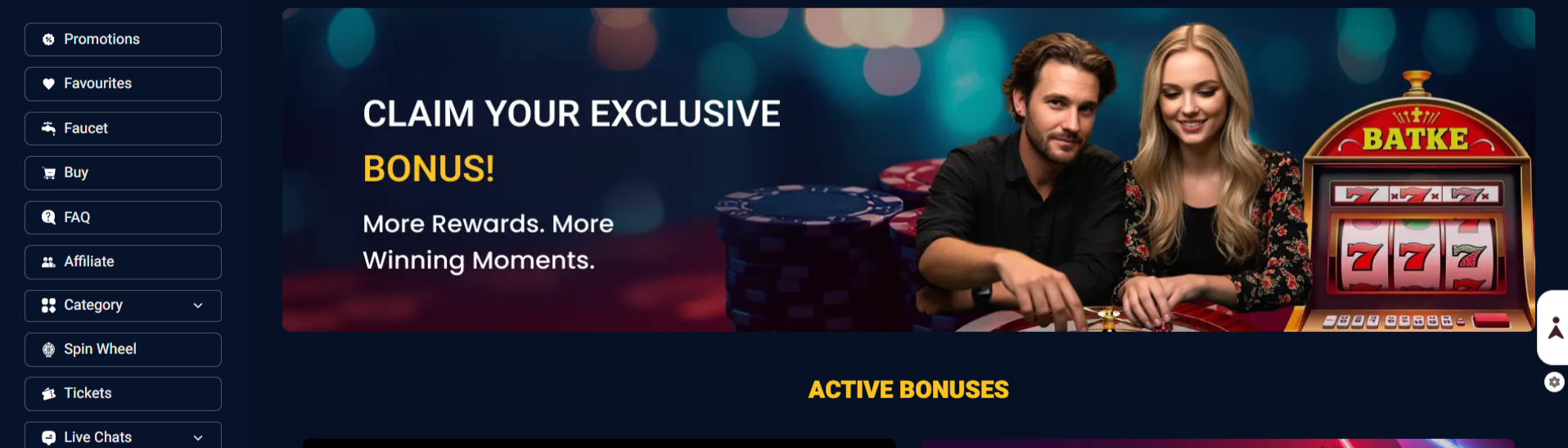
Uptown Sweeps is best for players chasing a large welcome bonus. The 700,000 GC + 7 SC package is easily the platform's strongest selling point and gives new players plenty to start with.
✔️ Players chasing a large welcome package
✔️ Slot-focused players
✔️ Players who prefer low redemption minimums
✔️ Players who like daily free rewards
✖️ Players looking for extensive game formats
✖️ Players who want clearly listed payment brands
✖️ Players seeking an established operator
✖️ Players who want a native mobile app
A large welcome offer can make a new sweepstakes casino look better than it actually is. We looked beyond the headline promotion at the game lobby, providers, recurring rewards, redemption rules, payment setup, mobile experience, state restrictions and responsible gaming policy to see what the platform offers once you get past the sign-up page.
We also compared the available information with the platform's own FAQ and other current sources. Where the public information doesn't give us a definite answer, we haven't treated an assumption as a confirmed feature. You can also see our approach in our How We Review Sweepstakes Casinos guide.
✔️ Checked the welcome offer and recurring promotions
✔️ Reviewed the game lobby and available categories
✔️ Checked the provider information available publicly
✔️ Reviewed redemption requirements
✔️ Checked payment information
✔️ Looked at mobile and desktop accessibility
✔️ Reviewed state restrictions
✔️ Checked responsible gaming provisions
✔️ Looked at available customer support
The platform scores well for bonuses and redemptions, particularly because 7 SC is a meaningful starting balance and the 10 SC minimum is considerably lower than the 50 SC or 100 SC thresholds common elsewhere.
Games are more of a middle-of-the-pack category. There are 600+ slots and jackpot-style content, but the public information doesn't show the same breadth of formats as the strongest sweepstakes casinos.
| Category | Rating | Weight | Why |
|---|---|---|---|
| Welcome Bonus & Promotions | 3.6/5 | 15% | 700,000 GC + 7 SC is a strong starting offer with additional daily rewards. |
| Games & Content | 2.9/5 | 20% | 600+ slots give players plenty to browse, but the catalog is primarily slot-focused. |
| Redemptions & Payments | 3.1/5 | 20% | The 10 SC minimum is excellent, although payment methods and processing details need more clarity. |
| User Experience | 2.9/5 | 15% | Browser access and a simple layout work well, but the platform lacks a native app. |
| Trust & Safety | 2.5/5 | 15% | KYC and responsible gaming policies are positives, while the limited operating history is a drawback. |
| Support & Reliability | 2.4/5 | 10% | Support is available, but there isn't enough long-term history to score reliability highly. |
| Overall Value | 2.8/5 | 5% | Strong introductory value and a low redemption threshold offset some of the platform's limitations. |
| Overall Rating | 2.7/5 | 100% | Weighted editorial rating. |
The strongest part of the platform is its combination of the welcome offer and low redemption minimum. Getting 7 SC after KYC verification and being able to redeem from 10 SC gives new players a relatively easy path from signing up to reaching the redemption threshold.
The 600+ slots and recurring rewards give the casino enough substance for regular casual play, while the daily wheel and zero-balance faucet provide reasons to come back without constantly making purchases.
The deductions come from the slot-heavy catalog, limited public payment information, lack of a native app and short operating history. There are also mixed recent customer reviews, which makes it difficult to give the platform a stronger trust score at this stage. Trustpilot currently shows a 3.0/5 score from eight reviews, with both positive and negative experiences reported.
At 2.7/5, Uptown Sweeps is a decent bonus-focused option, but the platform needs more transparency and a deeper, more clearly documented casino offering to move higher.
The biggest reason to try the platform is simple: the numbers are attractive for new players. The 700,000 GC + 7 SC welcome offer gives you a sizeable starting balance, while the 10 SC minimum makes the redemption target relatively accessible.
The daily wheel and faucet also help the platform feel less dependent on purchases. If your balance reaches zero, the faucet provides another way to collect coins and continue playing.
The compromise is variety. This is primarily a slot and jackpot-focused casino, so players looking for live dealer tables, crash games or a large range of specialized formats may run out of options sooner.
Our take: It's worth considering for bonus-focused slot players, but not the strongest choice for anyone who prioritizes game depth or a long-established operator.
The platform is most appealing to players who care about the value they can get when first joining and how quickly they can reach a redemption threshold.
Bonus Hunters
The 700,000 GC + 7 SC welcome package gives new players a substantial starting balance.
Slot Players
The lobby lists 600+ slots, making traditional slot play the core experience.
Low-Minimum Redemption Seekers
The 10 SC minimum is one of the more attractive parts of the platform.
Players Who Like Free Daily Rewards
The daily wheel and zero-balance faucet give players additional ways to collect promotional currency.
Players Looking for Broad Game Variety
The platform's public offering is primarily centered around slots and jackpot-style games.
Live Dealer Fans
There isn't enough publicly confirmed information to position live dealer as a major part of the casino.
Players Seeking Established Operators
The platform is relatively new, leaving less long-term player history to assess.
Players Who Want Native Apps
The platform can be installed as a browser-based experience, but dedicated iOS and Android apps aren't clearly confirmed.
700,000 GC + 7 SC
No purchase necessary. Void where prohibited by law. Must be 18 or older. Additional terms and conditions apply.
The welcome offer is easily the biggest selling point. New players can receive 700,000 GC + 7 SC after completing KYC verification, giving the account a substantial starting balance without requiring an initial purchase.
There is also a 50% second-purchase match up to $10, alongside the daily wheel and zero-balance faucet.
| Bonus / Promo | Value | Details |
|---|---|---|
| Welcome Bonus | 700,000 GC + 7 SC | Available after KYC |
| Second Purchase | 50% match up to $10 | Purchase promotion |
| Daily Wheel | Varies | Recurring free reward |
| GC/SC Faucet | Varies | Available at zero balance |
| AMOE | Available | Free entry method |
| GC Package Bonuses | Varies | Some packages may include bonus SC |
One important distinction is that Sweeps Coins aren't directly sold. They're promotional currency attached to eligible offers or earned through the platform's sweepstakes mechanisms.
Our verdict: The welcome package is genuinely competitive, particularly because the 7 SC is free. The additional daily rewards make the offer more useful than a one-time sign-up bonus.
The experience is fairly straightforward. The platform is built around a slot-heavy lobby, with jackpot-style games and the standard Gold Coin/Sweeps Coin setup.
The daily wheel adds a little more interaction beyond simply selecting a game, while the zero-balance faucet is useful when you've run through your available coins.
The downside is that the experience doesn't appear designed for players who want to jump between a dozen different casino formats. The public-facing information heavily emphasizes slots and jackpots, with table, poker and other categories less clearly documented.
Our verdict: The gameplay is simple and easy to understand, but the casino's appeal depends heavily on whether you're happy spending most of your time with slots.
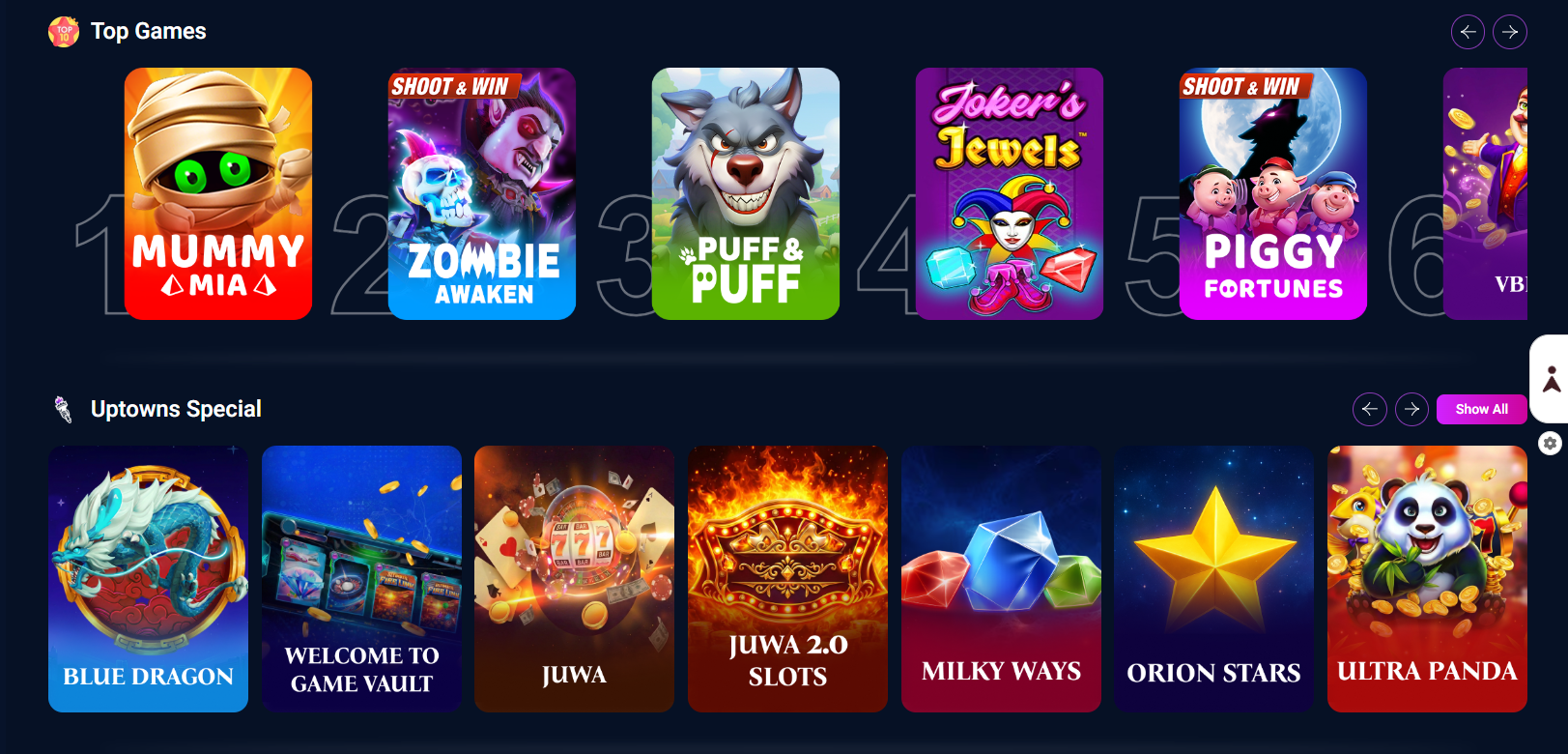
The catalog is primarily built around slots and jackpot-style games, with more than 600 slots listed. The platform's public presentation doesn't put the same emphasis on table games, live dealer content or crash games as some competing sweepstakes casinos.
The main attraction is the 600+ slot catalog, alongside jackpot-style titles and the platform's Gold Coin and Sweeps Coin game modes.
The public information does not give us enough evidence to confidently present live dealer, crash or poker as core categories, so we wouldn't inflate the game's offering by listing formats that aren't clearly confirmed.
That makes the experience best suited to slot and jackpot players rather than users looking for a full traditional casino replacement.
The provider information currently associated with the platform includes:
| Provider | Main Content |
|---|---|
| Amusnet | Slots and casino games |
| Amatic Industries | Traditional casino games and slots |
| Atomic City | Casino-style games |
| Games Global | Slots and casino games |
| IGT | Slots and casino games |
| NetEnt | Slots |
| Novomatic / Greentube | Slots and casino games |
| PG Soft | Mobile-focused slots |
| Pragmatic Play | Slots and casino games |
| RubyPlay | Slots and casino games |
There is some inconsistency between third-party sources regarding the complete provider lineup, so we'd treat this as the currently reported provider list rather than claiming every studio is available in every lobby. One current third-party source, for example, reports additional providers that aren't reflected in the provider list we could independently corroborate.
Our verdict: The provider mix is more interesting than the public-facing game categories suggest, with several recognizable studios represented. The bigger limitation is that the overall experience still appears heavily centered on slots.
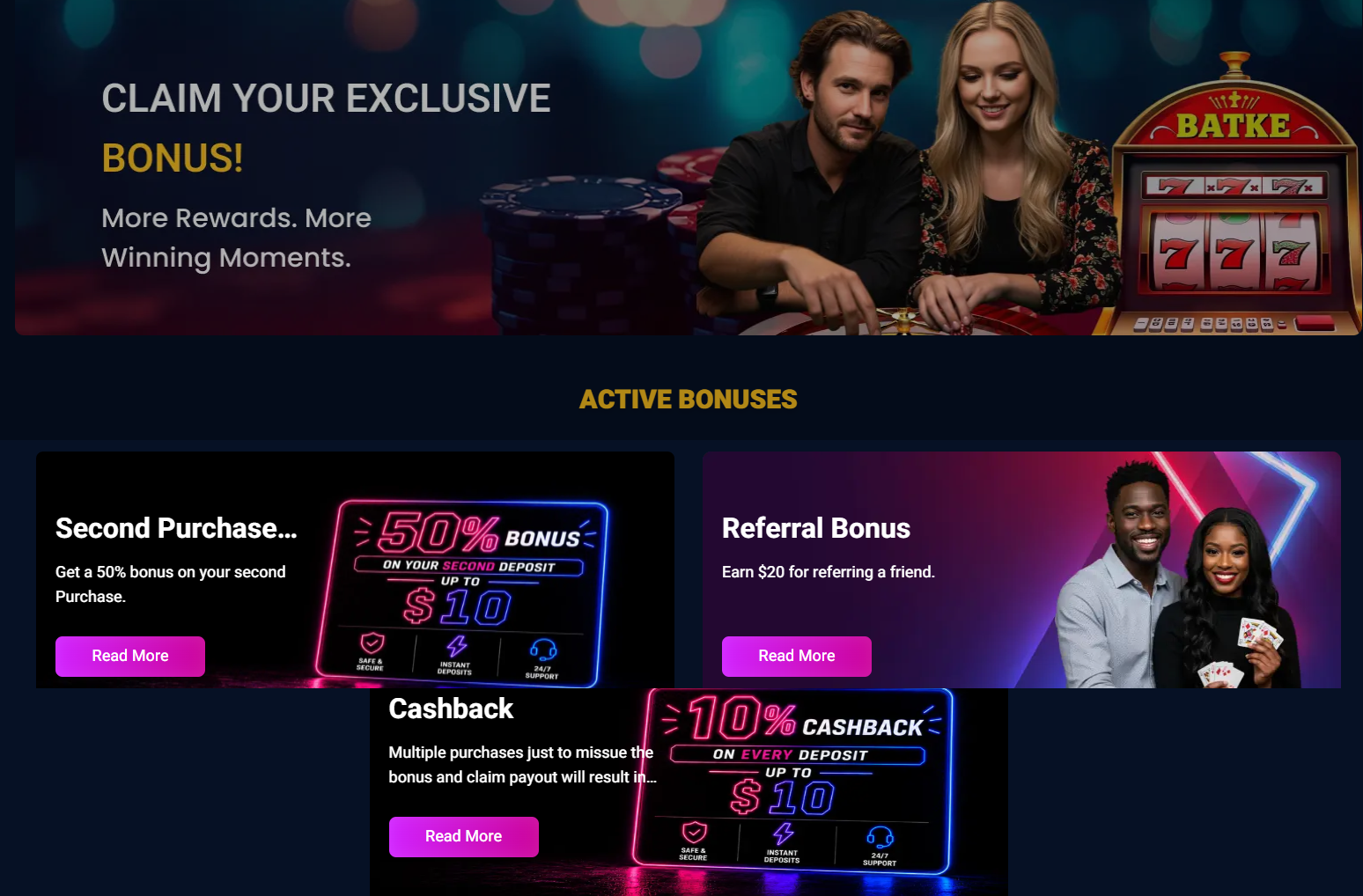
The platform uses Gold Coins and Sweeps Coins for its two play modes. Gold Coins have no cash value and are used for entertainment, while Sweeps Coins are the promotional currency connected to sweepstakes play and potential prize redemption.
Beyond the welcome package, the promotional setup includes:
The daily wheel and faucet are particularly useful because they give players ways to collect coins without relying entirely on purchases.
Our verdict: The promotional system is simple rather than deep, but the daily wheel and faucet make it more useful for players who want recurring free rewards.
Second purchased — 50% match up to $10
No purchase necessary. Void where prohibited by law. Must be 18 or older. Additional terms and conditions apply. No purchase necessary. Void where prohibited by law. Must be 18 or older. Additional terms and conditions apply.
Welcome bonus — 700,000 Gold Coins + 7 Sweeps Coins
No purchase necessary. Void where prohibited by law. Must be 18 or older. Additional terms and conditions apply. No purchase necessary. Void where prohibited by law. Must be 18 or older. Additional terms and conditions apply.
Yes. The platform has a defined Sweeps Coin redemption system, with a 10 SC minimum and a maximum of 2,500 SC within a seven-day period. At the stated 1 SC = $1 value, that means redemptions start at $10 and can reach $2,500 under the published limits.
KYC verification is required before redeeming, and cash prizes are processed through bank transfer. The available information indicates that redemptions can take up to three days to process once the required verification and eligibility checks are complete.
| Redemption Feature | Details |
|---|---|
| Minimum Redemption | 10 SC ($10) |
| Maximum Redemption | 2,500 SC ($2,500) |
| Maximum Frequency | Up to 2,500 SC over 7 days |
| SC Value | 1 SC = $1 |
| Redemption Method | Bank transfer |
| Processing Time | Up to 3 days |
| KYC | Required |
| Free Entry | Available |
| SC Purchases | Not directly sold |
The 10 SC minimum is the standout feature. A $10 redemption threshold is significantly easier to reach than the 50 SC or 100 SC minimums used by many competing platforms. The main limitation is the 2,500 SC seven-day cap, which matters more to players making larger redemptions.
For Gold Coin purchases, the currently reported payment methods are:
For Sweeps Coin redemptions, the available information points to bank transfer rather than PayPal, Apple Pay, Google Pay or card payouts.
That distinction is worth making clear: cards and digital wallets are primarily purchase methods, while bank transfer is the confirmed redemption route.
| Purchase Option | Gold Coins | Sweeps Coins | Price / Terms |
|---|---|---|---|
| Welcome Bonus | 700,000 GC | 7 SC | Free after KYC |
| Second Purchase Bonus | Varies | Varies | 50% match up to $10 |
| Daily Wheel | Varies | Varies | Free |
| GC/SC Faucet | Varies | Varies | Free when balance reaches 0 |
| GC Packages | Varies | May include bonus SC | From available cashier packages |
Our verdict: The banking setup is more competitive than the original copy suggested. The 10 SC minimum and 1–3 day bank-transfer redemption window are genuine positives, although the 2,500 SC seven-day cap keeps the payout side from being completely unrestricted.
The platform is designed primarily around browser-based access, with a relatively straightforward layout for browsing games, purchasing coins and requesting redemptions.
The biggest usability advantage is that the experience doesn't appear overloaded with unnecessary features. The main casino functions are easy to understand, while the daily wheel and faucet are accessible as part of the broader rewards setup.
The official FAQ confirms that the platform works on mobile phones, tablets and desktop computers through a browser. It can also be added to the home screen on Android and iOS, or installed through Chrome on desktop.
That means it functions more like a progressive web app than a traditional downloadable casino application.
Our verdict: Mobile access is better than simply calling the site “browser-only.” The ability to add it to a device's home screen gives it an app-like feel, although there is no evidence of dedicated native iOS or Android apps.
The platform publishes terms, sweepstakes rules and a Responsible Social Gameplay Policy, and requires players to meet its eligibility and verification requirements.
It also uses location restrictions and prohibits attempts to bypass geographic controls with VPNs or similar tools.
There are enough operational features to show that this is a functioning sweepstakes platform rather than a coming-soon listing. It has an active casino, purchase and redemption systems, published rules, support contact information and a responsible gaming policy.
However, the platform's public reputation is mixed, with some users praising customer service and fast redemptions while others allege account closures or payment problems. These are individual user reports rather than independently verified findings, but they are still relevant when evaluating a newer operator.
The platform lists [email protected] as its support contact.
Our verdict: There are enough published policies and operational features to review the site as an active sweepstakes casino, but the limited operating history and mixed early customer feedback make us more cautious than we would be with an established operator.
The current listed restrictions include:
Players should verify their location against the current terms before registering because eligibility can change.
The platform publishes responsible gaming information and provides options including:
The FAQ also includes a dedicated self-exclusion section, reinforcing that responsible gaming is treated as an account-level feature rather than simply a disclaimer.
Uptown Sweeps is most appealing for its 700,000 GC + 7 SC welcome package and 10 SC redemption minimum. If those aren't your priorities, these alternatives may be a better fit depending on whether you want a bigger promotion, a different game mix, or a more established experience.
Blitzmania is worth considering if your main priority is maximizing the size of your introductory package and ongoing coin promotions.
Get 225% More Coins on First Purchase + 2.6M BC+ 117 SC
No purchase necessary. Void where prohibited by law. Must be 18 or older. Additional terms and conditions apply.
CrashDuel may be a better fit if you prioritize clearer cash-out information and a more focused redemption experience.
Get 200,000 GC + 100 Free SC
No purchase necessary. Void where prohibited by law. Must be 18 or older. Additional terms and conditions apply.
MegaBonanza is a stronger alternative if you want a broader mix of casino formats rather than a platform centered mainly around slots.

GC 80K + SC 30 Free + 30 Free Spins ON THE GAME 4 POT RICHES for only $9.99
Age 21+. No purchase necessary. Void where prohibited by law. Not available in AL, CA, CT, DE, ID, IN, KY, LA, ME, MD, MI, MT, NV, NJ, NY, TN, WA and WV. Additional T&Cs apply.
Wandando is worth comparing if you prefer a browser-first sweepstakes casino with a different game and promotional mix.

50K Gold Coins + 30 FREE SC for $19.99
No purchase necessary. Void where prohibited by law. Must be 21 or older. Additional terms and conditions apply.
| Pros | Cons |
|---|---|
| 700,000 GC + 7 SC welcome offer | KYC required for the welcome reward |
| 10 SC minimum redemption | Payment brands aren't clearly published |
| 600+ slots | Primarily slot-focused |
| Daily wheel and zero-balance faucet | Limited long-term player history |
| 50% second-purchase match up to $10 | No dedicated native app |
| AMOE available | Mixed early customer feedback |
| Responsible gaming policy | Restricted in several states and territories |
Uptown Sweeps Rating: 2.7/5
The platform's biggest strengths are easy to identify: 700,000 GC + 7 SC for new players, a 10 SC redemption minimum, 600+ slots, and recurring free rewards. That's a useful combination for casual slot players who want a substantial starting balance without needing to make a large purchase.
The experience becomes less impressive when you look beyond those headline features. The catalog is still heavily slot-focused, payment methods aren't clearly named on the public site, and the platform doesn't yet have the operating history of more established sweepstakes casinos. Early customer feedback is also mixed, so we'd be cautious about putting it in the same category as the industry's more proven operators.
Uptown Sweeps is worth considering if you're primarily a slot player chasing a strong welcome package and low redemption threshold. If you want broader game formats, more transparent banking information, or a longer-established operator, we'd recommend comparing it with other sweepstakes casinos before signing up.
FAQs About UptownSweeps
Do I need a promo code to claim the welcome bonus?
No promo code is currently required for the 700,000 GC + 7 SC welcome offer. The bonus is tied to account registration and KYC verification.
How often can I use the Uptown Sweeps Daily Wheel?
The Daily Wheel is designed as a once-per-day reward, giving players another way to collect promotional currency without making a purchase. Some current reviews report rewards of up to 1 SC per day, although the exact prize can vary by spin.
Does Uptown Sweeps have a VIP program?
The platform has a seven-tier VIP system, ranging from Bronze through Pinnacle. However, the requirements to maintain higher tiers can involve substantial play, and the benefits aren't as compelling as those found at some established sweepstakes casinos.
Can I install Uptown Sweeps like an app?
You can add the site to your device's home screen. On Android and iOS, the official FAQ provides instructions for using the browser's “Add to Home Screen” function, while Chrome users can install it on desktop. This is a web-app shortcut rather than a native application.
Does Uptown Sweeps offer a mail-in AMOE?
The current publicly available information does not clearly publish a traditional mail-in AMOE address. Other free-entry mechanisms, including the Daily Wheel and promotional giveaways, are documented, but we wouldn't claim a postal AMOE without a confirmed address and rules.
Stakester Newsletter
Be the first to find out when a sweepstakes casino launches and receive exclusive offers directly in your mailbox.